
Create residents in Empower Group Care and view as a resident binder. Creating and managing residents can’t be any simpler. With this intuitive resident form, you can do all of your important tasks and actions without navigating to different parts of the application.
You can capture important information about residents, interactions you’ve had with them, and all related records in once single place.
Create Residents #
- Sign in to Empower Group Care.
- In the sitemap, select Resident.
- Select Create New.
- Select the resident’s facility.
- Enter the information you have about the resident.
- Select create.
Add information to residents with tabs #
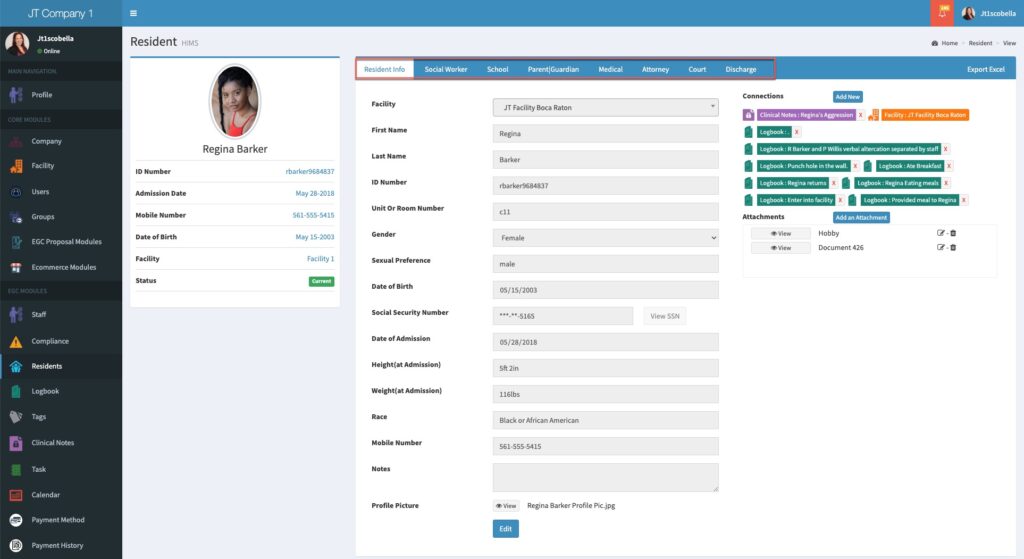
After creating a resident, tabs are displayed and available for adding more resident information.
- To add more resident information, select a tab.
- Select Create New.
- Enter the information for the specific tab.
- Select Submit to save.
View Residents #
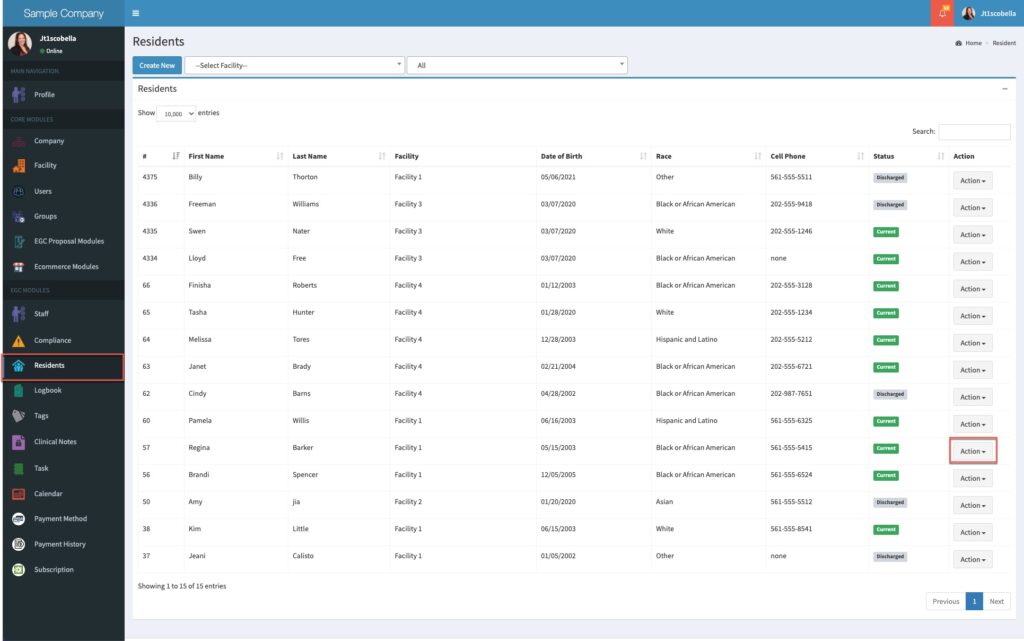
- Select Residents from the sitemap.
- Select Action for the resident to view.
- To view more resident information, select a tab.
Edit Residents #
- To edit resident information, select Edit from the main information form or from any tab.
- After updates are complete, select Update from the main resident form and select Submit from any tab.
See Also #
Add relationships to a resident
Assign residents to facility rooms